
H1 Goes Here. Add a background image relevant to the service to this section
Delete this text MODULE after implementation: For home page and about us page add the global module Client Name (under h1) to the page. This module already exists in the Divi library. If there is no current client then delete the text in the global but keep the module situated underneath the H1 so that when we get a client we just have to add their business name to the module.
USP 1
USP 2
USP 3
Call For a Free Quote
(07) 0000 0000
Get a Free Quote
H2 from writing doc Goes Here
Overview Section Goes hereOverview Section Goes hereOverview Section Goes hereOverview Section Goes hereOverview Section Goes hereOverview Section Goes hereOverview Section Goes hereOverview Section Goes hereOverview Section Goes hereOverview Section Goes hereOverview Section Goes hereOverview Section Goes hereOverview Section Goes hereOverview Section Goes hereOverview Section Goes hereOverview Section Goes hereOverview Section Goes hereOverview Section Goes hereOverview Section Goes hereOverview Section Goes hereOverview Section Goes hereOverview Section Goes here
Overview Section Goes hereOverview Section Goes hereOverview Section Goes hereOverview Section Goes hereOverview Section Goes hereOverview Section Goes hereOverview Section Goes hereOverview Section Goes hereOverview Section Goes here
Overview Section Goes hereOverview Section Goes hereOverview Section Goes hereOverview Section Goes hereOverview Section Goes hereOverview Section Goes hereOverview Section Goes hereOverview Section Goes here
Overview Section Goes hereOverview Section Goes hereOverview Section Goes hereOverview Section Goes hereOverview Section Goes hereOverview Section Goes hereOverview Section Goes hereOverview Section Goes hereOverview Section Goes here
Call For a Free Quote
(07) 0000 0000
DELETE THIS NOTE (ENTIRE ROW) AFTER IMPLEMENTING THE FOLLOWING: This Section logo is optional and may not be relevant for each business. It can sometimes help to display logos of household brands and also logos of license issuerers as a way to piggy back of the trust that the established brands already have with the customer base. This section can be used further down the page or in some circumstances like in the concreting niche this is not relevant at all.
At times this will need a header to descrive what this this
e.g. Our suppliers. We only use the best materials. Our trusted partners. Some of our clients. etc.
Optional Header for Logo Section





Sub Services Header Goes Here (3 Column version for 3,6 or 9 services)
Sub Service Header
Sub service text Approx 50 words. + Add image to the existing image module (above the sub service header) depicting the service.
Sub Service Header
Sub service text Approx 50 words. + Add image to the existing image module (above the sub service header) depicting the service.
Sub Service Header
Sub service text Approx 50 words. + Add image to the existing image module (above the sub service header) depicting the service.
Sub Services Header Goes Here (4 column version for 4, 8 or 12 services)
Sub Service Header
Sub service text Approx 50 words. + Add image to the existing image module (above the sub service header) depicting the service.
Sub Service Header
Sub service text Approx 50 words. + Add image to the existing image module (above the sub service header) depicting the service.
Sub Service Header
Sub service text Approx 50 words. + Add image to the existing image module (above the sub service header) depicting the service.
Sub Service Header
Sub service text Approx 50 words. + Add image to the existing image module (above the sub service header) depicting the service.
Sub Services Header Goes Here (2 column version for 2 services use 600x400 images)
Sub Service Header
Sub service text Approx 50 words. + Add image to the existing image module (above the sub service header) depicting the service.
Sub Service Header
Sub service text Approx 50 words. + Add image to the existing image module (above the sub service header) depicting the service.
Call For a Free Quote
(07) 0000 0000
Stakes Statement
Stakes explanation paragraph. Add image to the existing image module to the left of this section of text
Why Choose Us? - Add Image of the Client/Team or a well known Geographical location background image to this section. You may need to adjust the darkness/lightness of the overlay so the text is readable against the background image.
Keyword Rich heading that includes the location that sums up this section. It should relate to the stakes section. So if the stakes was about timeliness. it could be something like "Strathpine Bathroom renovations completed in 14 days"
The guide text section. Note the USP blurbs below (image with header and text) do not need to be used. ONly if the content has been written in such a way that it is appropriate. If the content has not been written well to be broken up then simply copy and paste the text here and delete the blurbs below.
USP
USP explantation. Change Colour of the icon to suit colour scheme of website
USP
USP Explanation. Change Colour of the icon to suit colour scheme of website
USP
USP Explanation. Change Colour of the icon to suit colour scheme of website. If more USP blurbs are required duplicate this module and change the icon.
Guide end section
Reviews Header
DELETE THIS NOTE (MODULE) AFTER IMPLEMENTATION.
Add personalised client image (preferably with the client in the photo) or logo to the image existing image module o the left of this column.
This section is optional. It requires the WP plugin google reviews widget. This is only used in some circumstances where the client has a google my business profile with lots of good reviews. If the client doesn't provide a personalised image like the one to the left the image module can be deleted and this row can be turned into a one column row.
If the client doesn't have a google business profile one of the following sections below can be used.
A Proven Track Record Of (Niche) Excellence
- Optional
DELETE THIS NOTE (MODULE) AFTER IMPLEMENTATION.
This section is optional. It requires you to copy and paste the best hi pages reviews from the client's profile. When adding reviews please substitue any mention of the clients business name and replace it with the clients name. This is for SEO purposes as we don't want to confuse Google into thinking the leade generation site is the site of the business rather than being a 3rd party that represents the business.

A Proven Track Record Of (Niche) Excellence
- Optional
DELETE THIS NOTE (MODULE) AFTER IMPLEMENTATION.
This section is optional. It displays the key numerical stats of the client. These counters can display any kind of information that demonstrates competence. some examples include: years of experience, projects completed or aspects of a project completed like square meters or lineal metres of fencing installed, average rating on review platforms, number of staff, years in business, measurable result they have produced for their clients, success rate, referred clients, number of customers served, hours on the job etc.
Adjust the colour of the numbers according to the colour scheme of the website as well as the font of the numbers to be the same as the font of the headers.
Years of Carpentry Experience
Years of Fencing Experience
Kilometres of Fencing Installed
Average Rating on Hipages
A Sample of Our Past Projects - Optional
DELETE THIS NOTE (MODULE) AFTER IMPLEMENTATION.
Add 8 client images to the above gallery module. Adjust the button colour to suit the colour scheme of the website. Adjust radius and font to suit design of website.
Call For a Free Quote
(07) 0000 0000
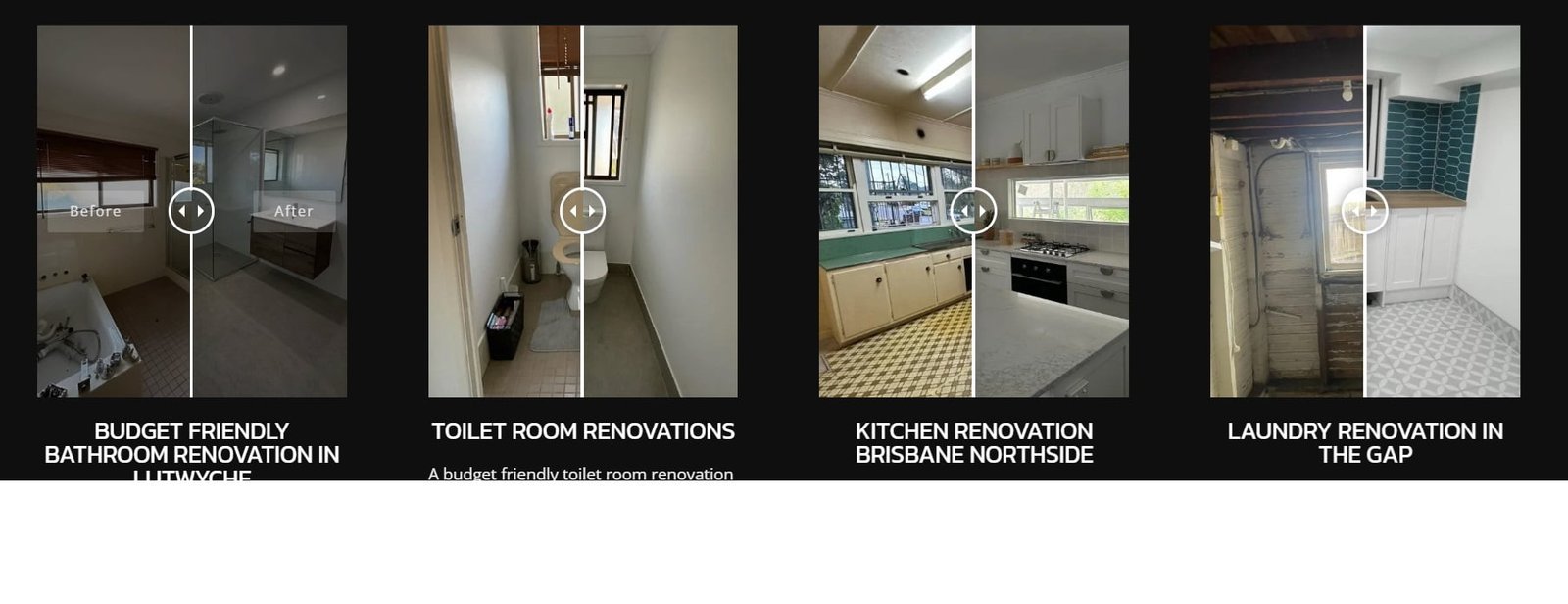
Before & After Transformations - Optional
DELETE THIS NOTE (MODULE) AFTER IMPLEMENTATION.
This optional and should only be used if the client has good before and after photos. Before and after photos should be the same or similar camera angle so that the slider effect works well. If the photos aren't a similar angle then it looses it's effectiveness in which case it's better to just use the normal image gallery module. it requires a WP plugin - Ultimate Before After Image Slider & Gallery – BEAF in order for it to work. You create the sliders in the plugin then add the shortcode into the divi builder see this loom for instructions on how to create the slider below is a screenshot of the end result.
(number adjective) Benefits of (end result of service e.g. new bathroom). Add background image relevant to this section. You may need to adjust the darkness/lightness of the overlay so the text is readable against the background image.
DELETE THIS NOTE (MODULE) AFTER IMPLEMENTATION.
Change the colour of the icons to match the colour scheme of the website.
Your Title Goes Here
Your content goes here. Edit or remove this text inline or in the module Content settings. You can also style every aspect of this content in the module Design settings and even apply custom CSS to this text in the module Advanced settings.
Your Title Goes Here
Your content goes here. Edit or remove this text inline or in the module Content settings. You can also style every aspect of this content in the module Design settings and even apply custom CSS to this text in the module Advanced settings.
Your Title Goes Here
Your content goes here. Edit or remove this text inline or in the module Content settings. You can also style every aspect of this content in the module Design settings and even apply custom CSS to this text in the module Advanced settings.
Your Title Goes Here
Your content goes here. Edit or remove this text inline or in the module Content settings. You can also style every aspect of this content in the module Design settings and even apply custom CSS to this text in the module Advanced settings.
Steps header
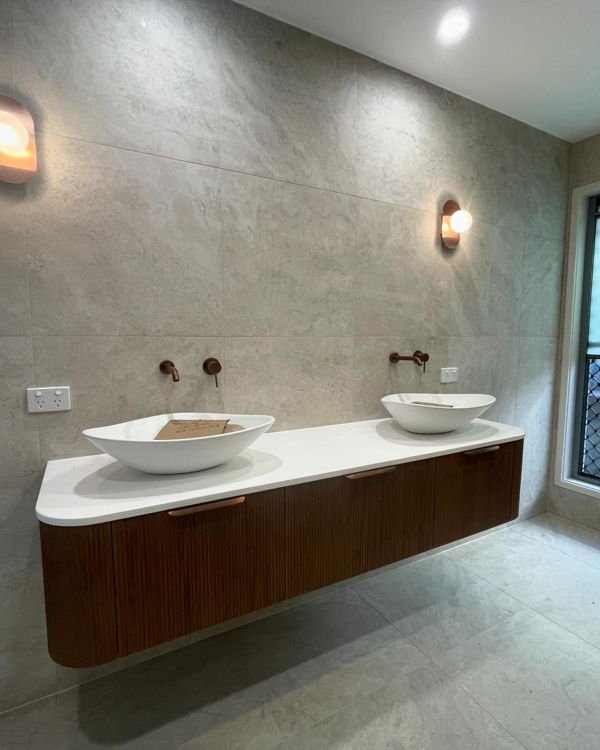
DELTE THIS NOTE AFTER IMPLEMENTING: please choose the image and adjust the column ratio width ratio (can make the image take up more or less space in the row) of the row below so that the text is roughly the same height as the image. The spacer line below can also be removed if it doesn't fit with the rest of the design
1. header
Content
2. header
content
3. header
content
4. header
content
Call For a Free Quote
(07) 0000 0000
Niche FAQs - If location page add the location at the beginning e.g. Strathpine Bathroom Reno Faqs
DELETE THIS NOTE (MODULE) AFTER IMPLEMENTATION.
Optional - Can change the colour of this background to suit colour scheme of website
Question goes here
Answer goes here
Question goes here
Answer goes here
Question goes here
Answer goes here
Contact Us - (Add background image relevant to the niche.
Jun 2025 update this section is global for the entire site.
You may need to adjust the darkness/lightness of the overlay so the text is readable against the background image)
Delete this text module after implementation
Obtain google maps snippet of local area by following this loom tutorial
(07) 0000 0000
Servicing (location/region)